Events
Fill every date, without the admin
Publish dates and timeslots, sell several ticket types and let customers book and pay online, with group sizes, waiting lists and cancellation policies handled for you.
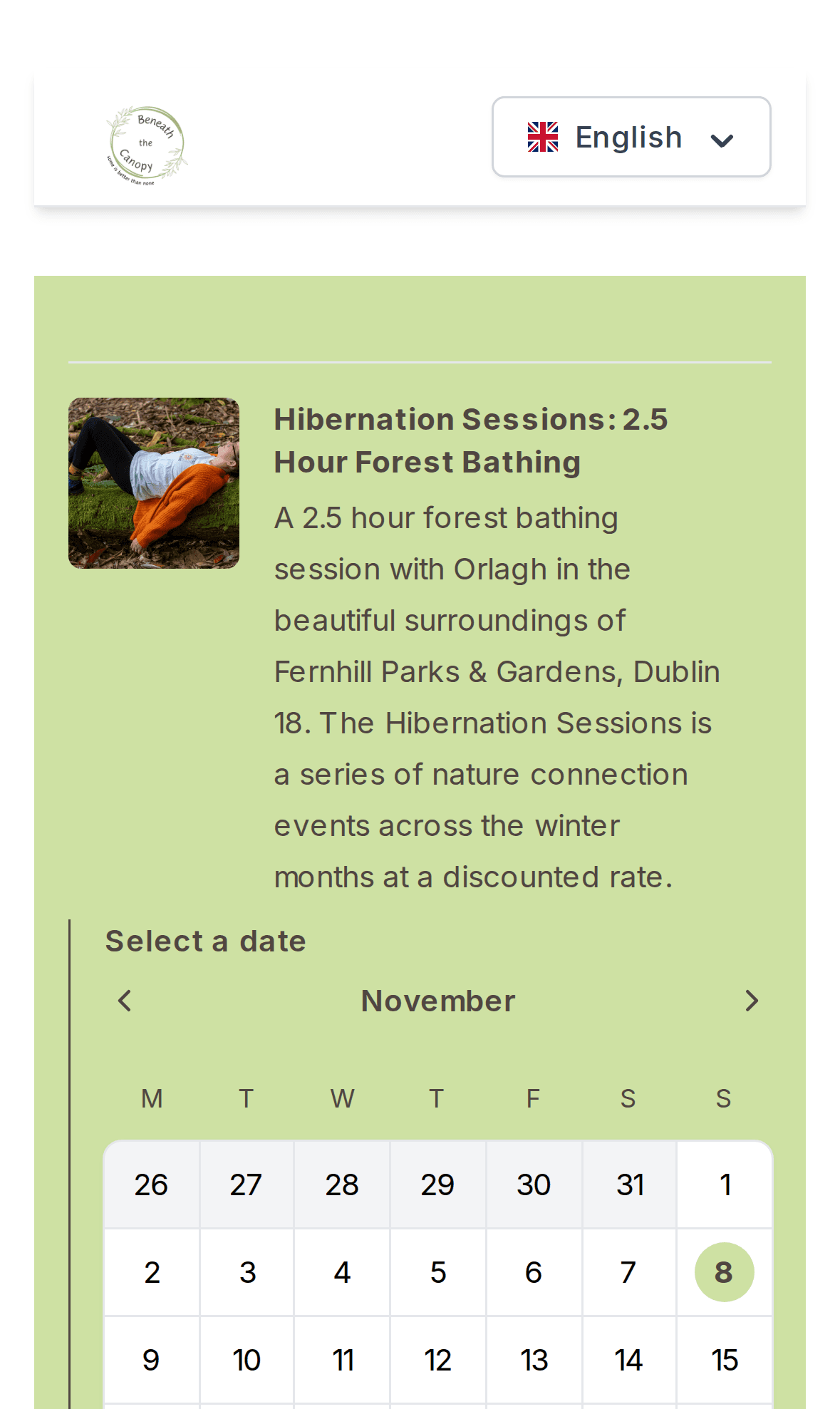
Availability
Dates and timeslots customers can pick themselves
Add one-off dates or recurring availability per day of the week. Customers see a calendar with available days and choose the timeslot that suits them.
- One-off and recurring availability
- Calendar with available timeslots
- Optional 'places left' indicator
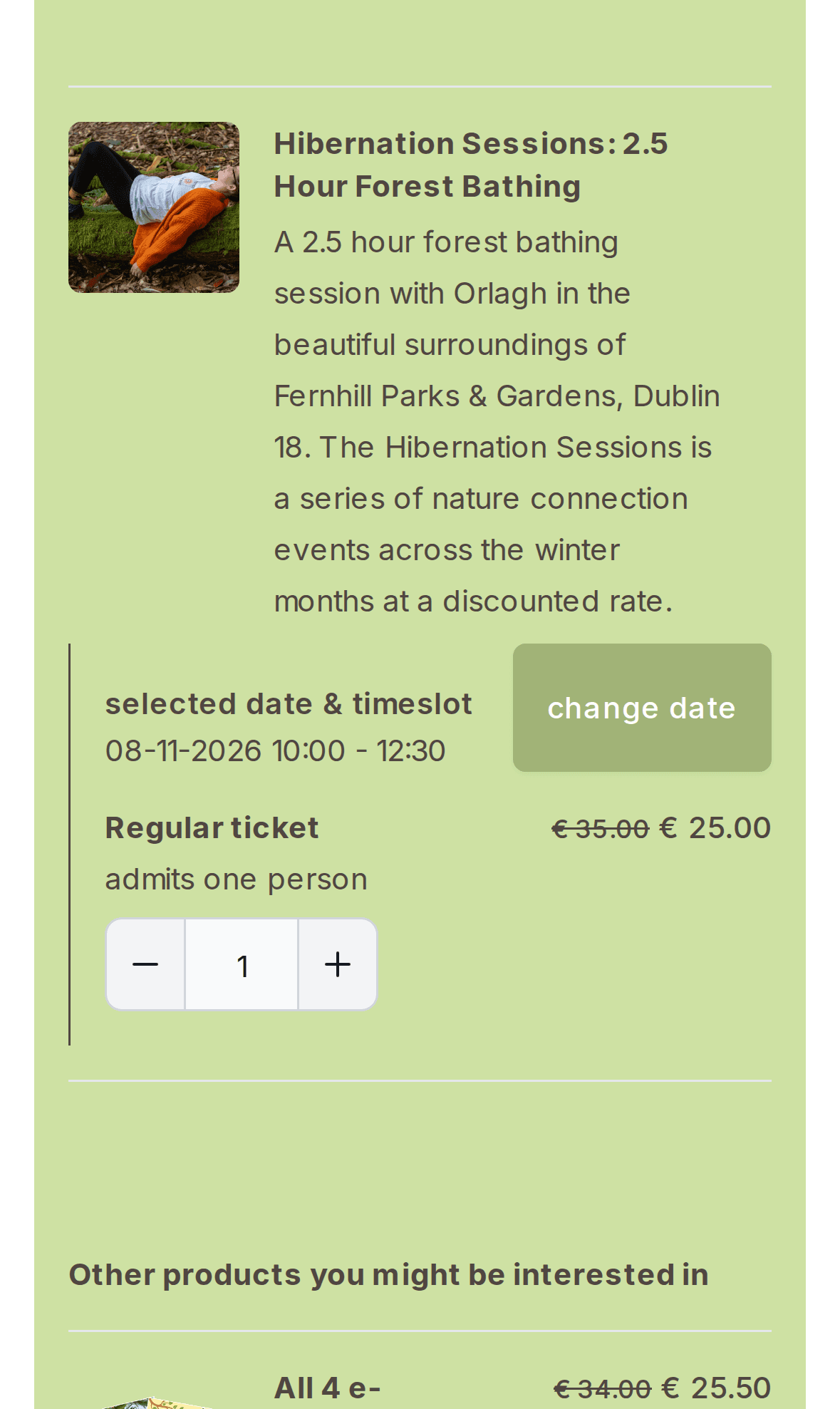
Tickets
Several ticket types, prices and discounts
Offer regular, child or group tickets, each with its own price and description, and offer discounts. The checkout calculates VAT per product.
- Multiple ticket types per event
- Discounts shown as a struck-through price
- VAT handled per product
Built for real-world bookings
- Group sizes & private bookings
- Set a minimum and maximum group size and allow private bookings, with or without approval.
- Manual confirmation
- Approve bookings yourself before they're final, when you need to.
- Waiting queue
- Let customers queue for full dates, so no demand is lost.
- Lead time & cancellations
- Require bookings a set number of hours in advance and attach cancellation policies.
- Custom questions
- Ask for dietary needs, experience level or anything else in the checkout.
- Booking widget
- Embed bookings on your own website with the boreen booking widget.
In the backoffice
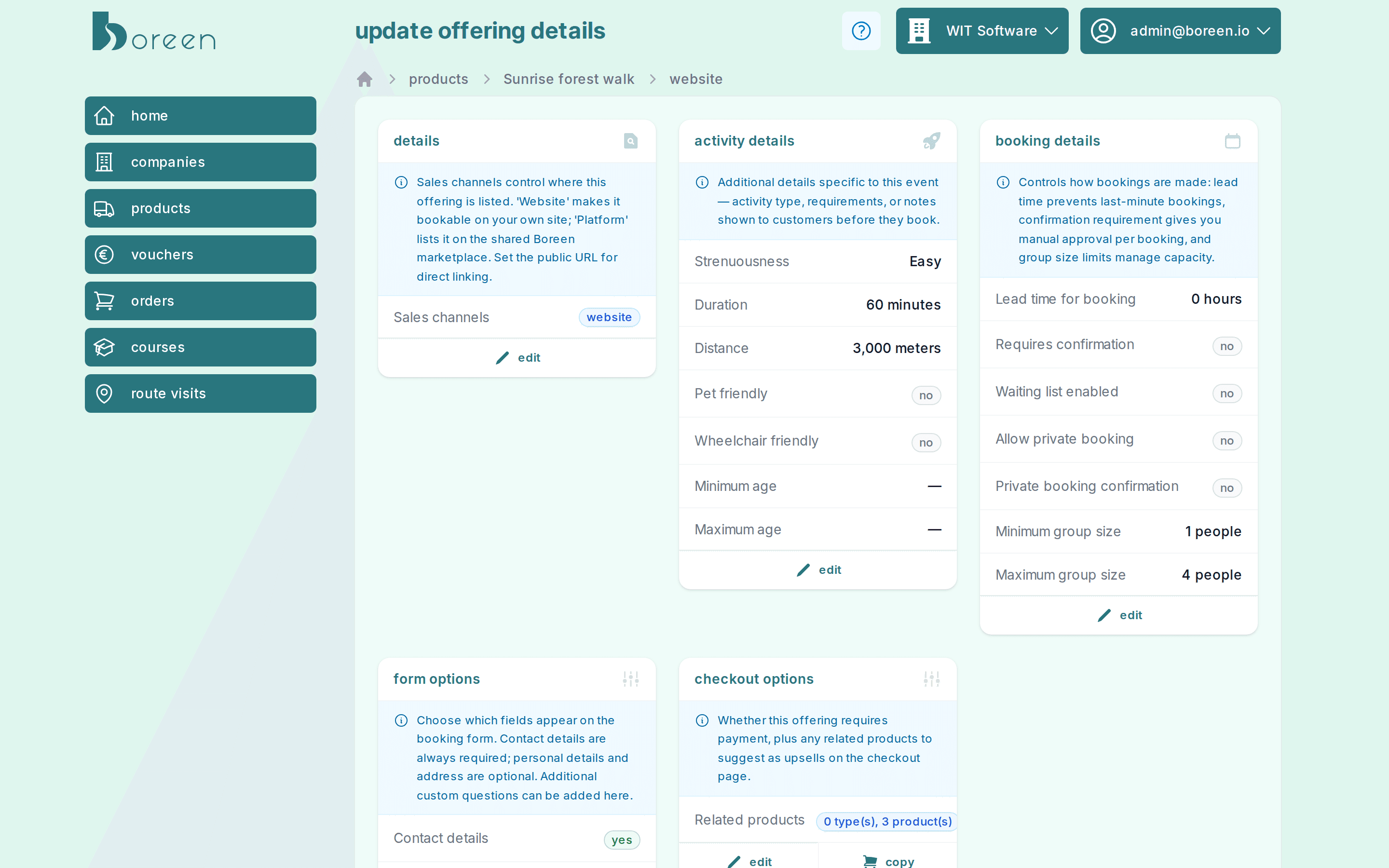
Every booking rule in one overview
Each event gets an overview of its activity details, booking rules, checkout form and related products. Change a setting with one click; tickets, availability and cancellation policies sit right below.
- Activity details: duration, distance, difficulty, accessibility
- Lead time, confirmation, waiting list and group sizes
- Form fields and related products for the checkout
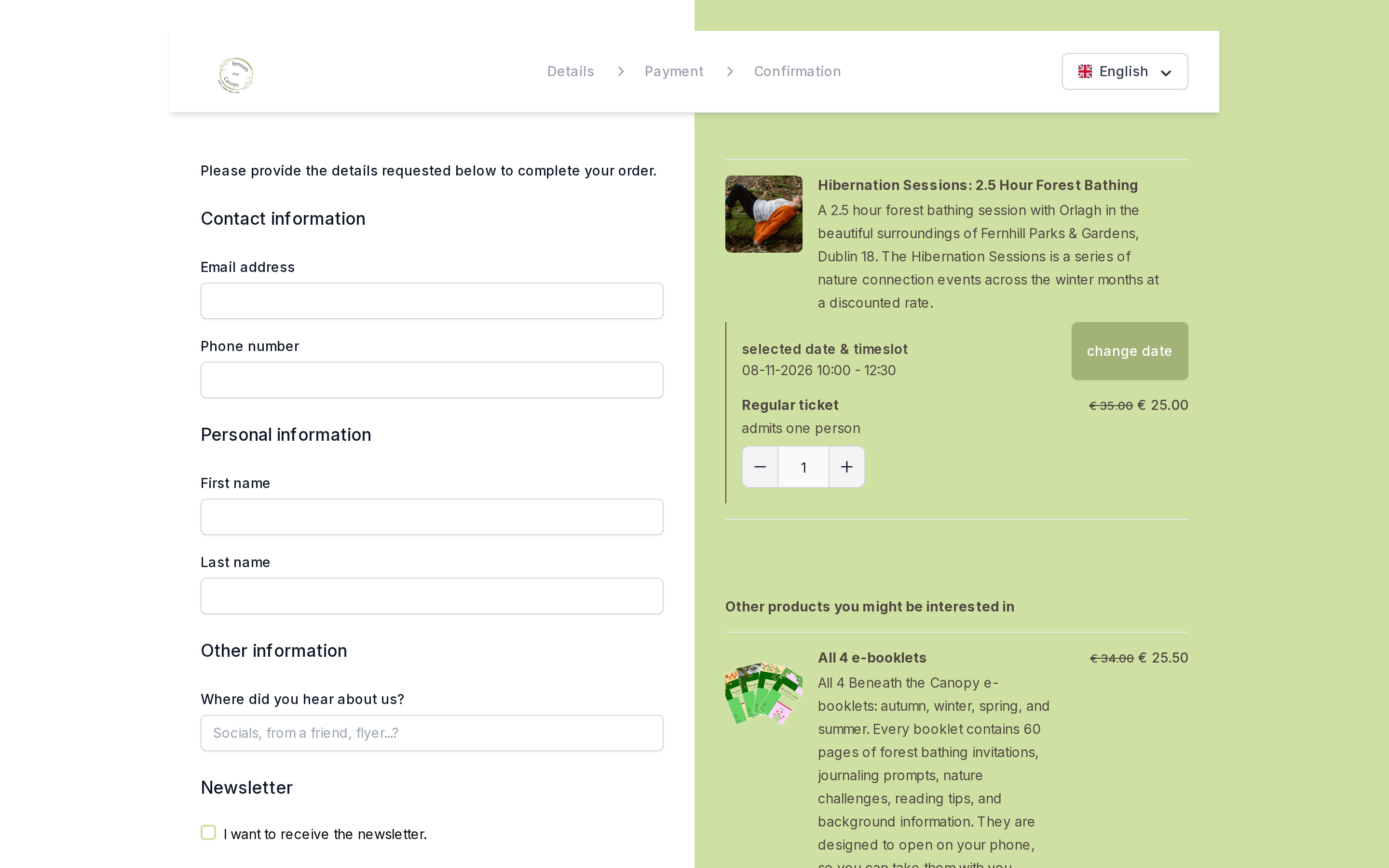
Built-in shop & checkout
Bookings and payments in one flow
Customers choose a date, timeslot and tickets, answer your questions and pay, all in one checkout in your branding. You see every order in the backoffice.
- Date, timeslot and ticket selection in the checkout
- Activity details: duration, distance, difficulty, age, pet- and wheelchair-friendly
- Gift vouchers and discount codes
- Related products, such as a course or e-book, suggested at checkout
- Stripe & Mollie payments, incl. iDEAL and cards
- Sell and redeem gift vouchers
- Embeddable booking widget for your own website
- Checkout in your own logo and branding
- Custom checkout questions
- Discounts and VAT handled per product
Frequently asked questions
What kind of events can I sell?
Anything with a date and a limited number of places: guided tours, workshops, retreats, classes, tastings or one-off events.
Can I add the booking form to my own website?
Yes. Embed the boreen booking widget on your website, or link to your hosted checkout from social media, newsletters or a QR code.
Can I approve bookings manually?
Yes. Bookings, and separately private bookings, can require your confirmation first. You can also set a minimum lead time so nobody books at the last minute.
What happens when an event is full?
You can enable a waiting queue, and show customers how many places are left so they book in time.
Which payment methods are supported?
Payments run through Stripe or Mollie, so you can offer cards, iDEAL and other local payment methods. Gift vouchers can be redeemed at checkout.
Open your first date for booking
Create an event, add your dates and share the booking link today.