Digital tours
GPS-guided tours that guide themselves
Turn your knowledge of a city, trail or venue into a digital tour with stories, audio and video at every stop. Visitors see where they are, how far the next stop is and what's nearby, even without mobile data.
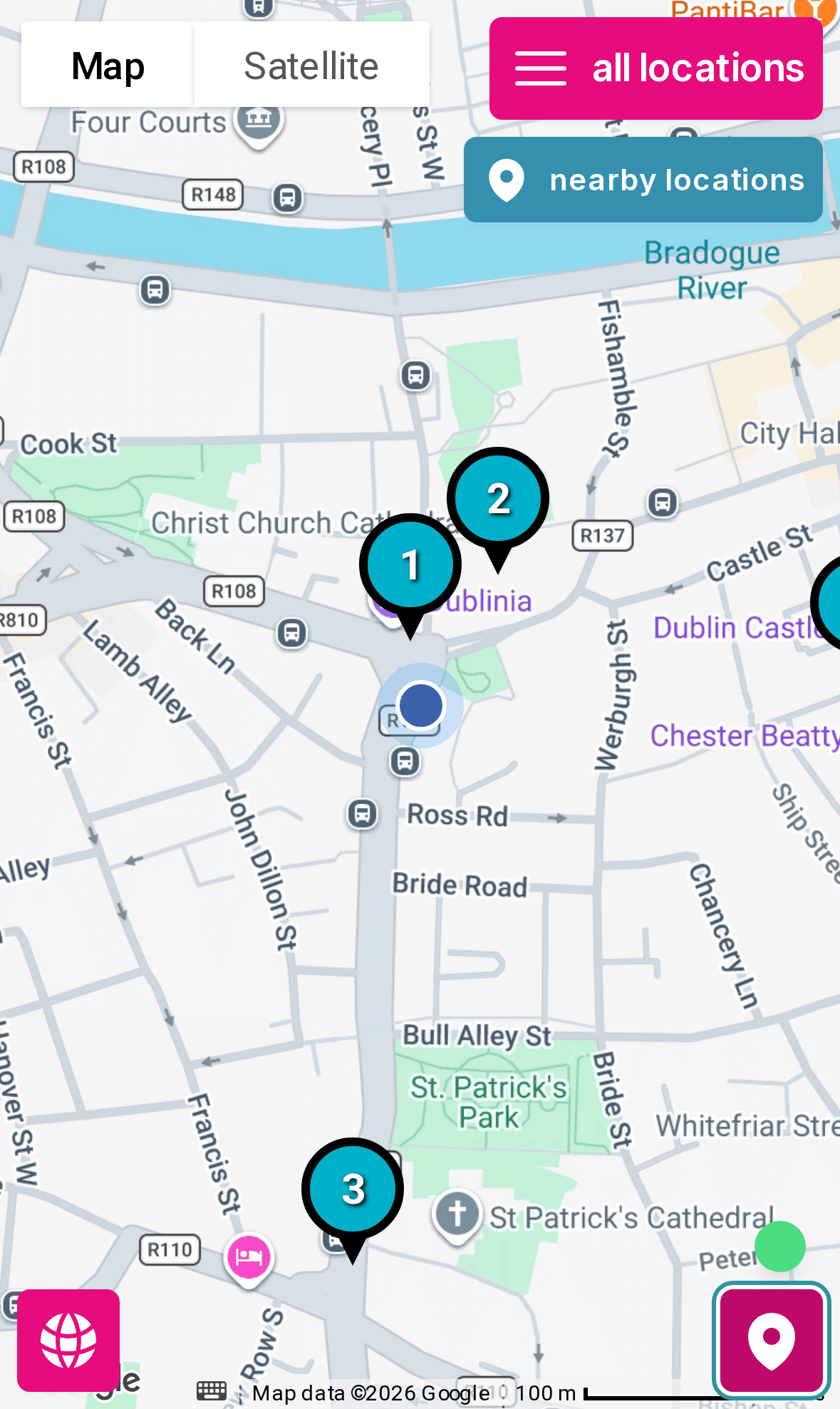
Live example: Witty Walks uses boreen for its Dutch-language Stadswandeling Dublin and Kroegentocht Dublin tours.
See how they sell it ↓Live location
Visitors always know where they are
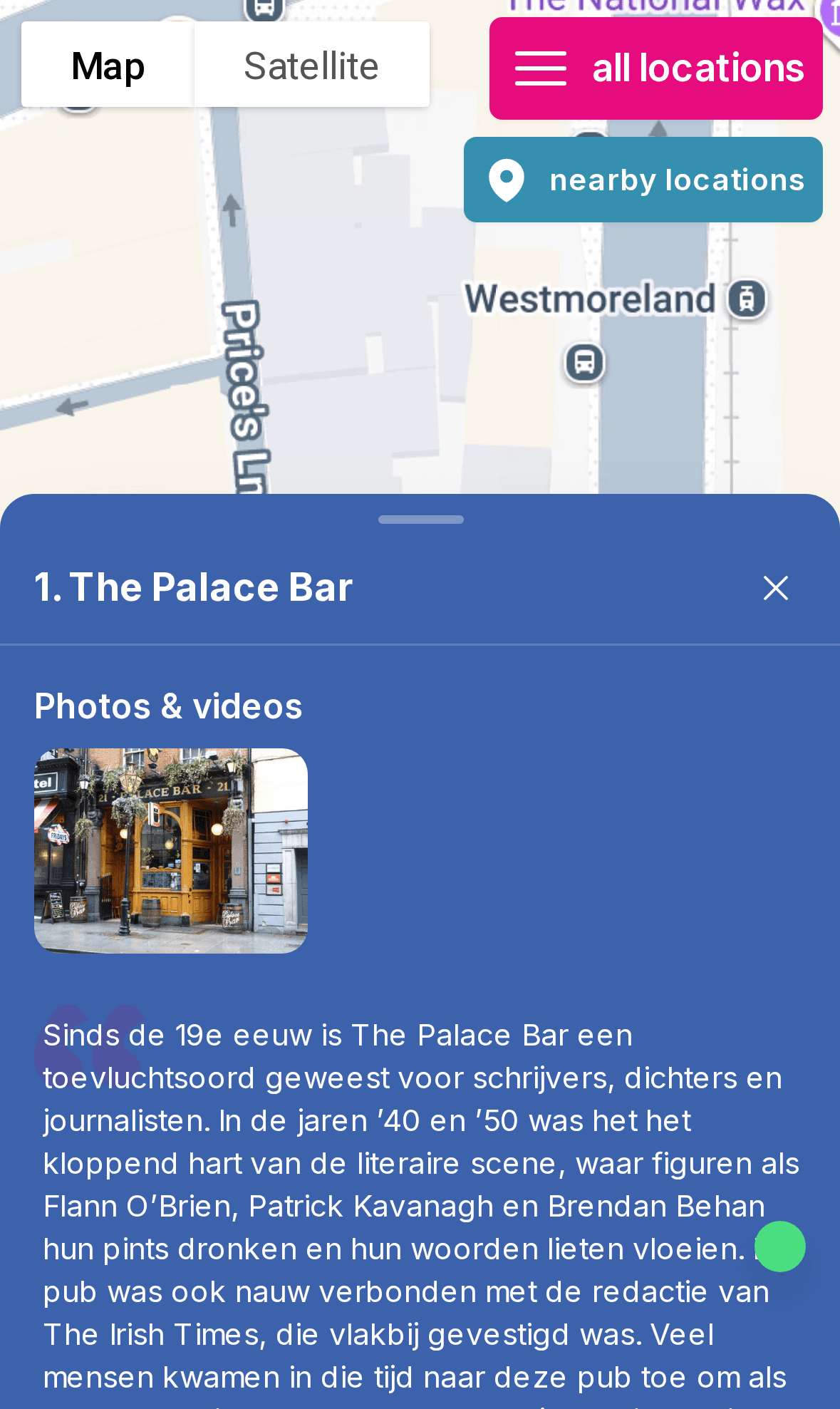
With one tap the map follows the visitor's position. Numbered stops show the route, and photo markers make every point of interest easy to recognise.
- Real-time position on Google Maps with satellite view
- Numbered stops or photo markers per location
- Clusters keep busy maps readable

Nearby locations
A pop-up for what's right around the corner
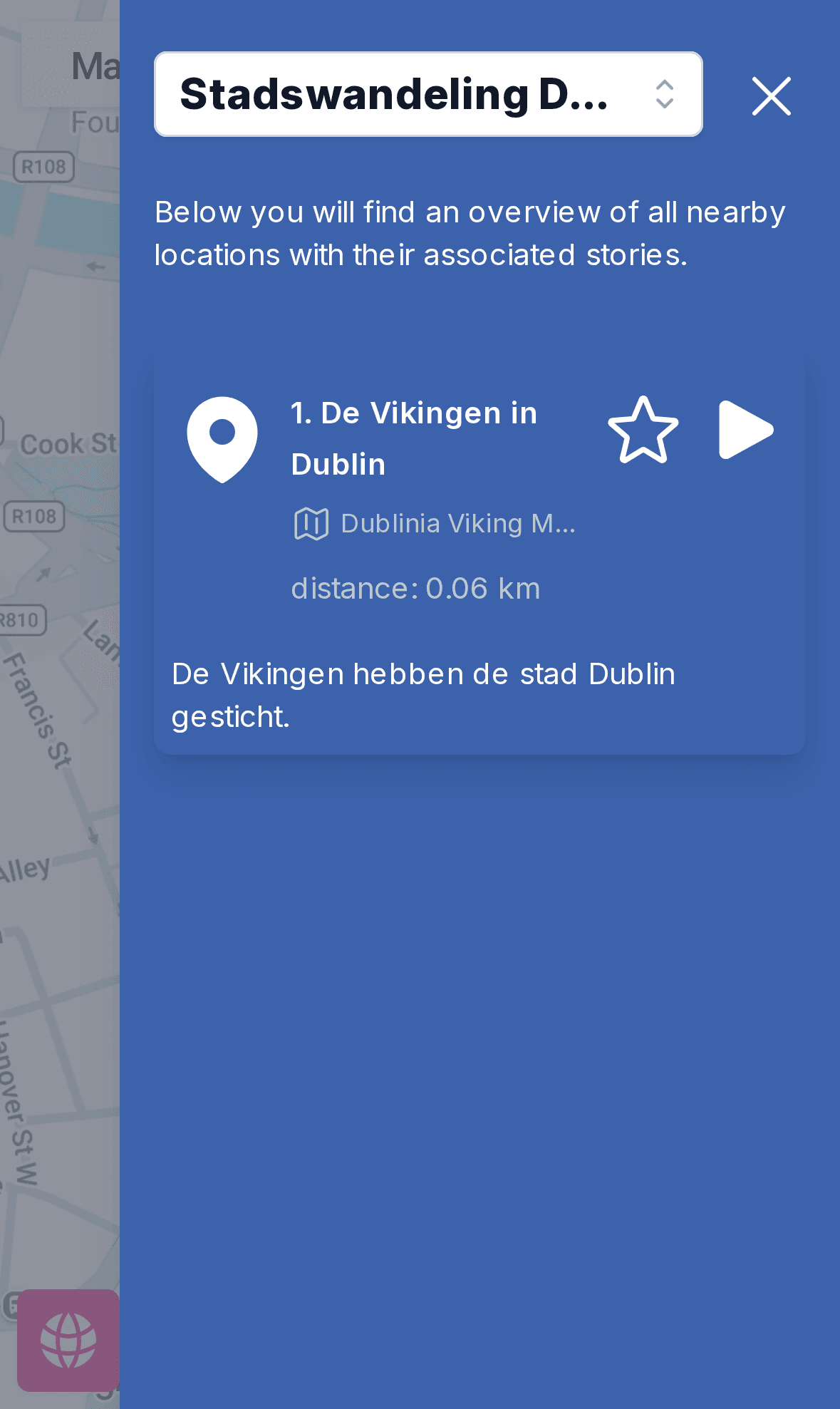
As soon as a visitor comes within 100 metres of a stop, a 'nearby locations' button appears. One tap opens the stories for exactly where they are standing, so nobody has to scroll through the whole list.
- Triggers automatically based on GPS
- Shows the distance to each nearby stop
- Opens the story with a single tap
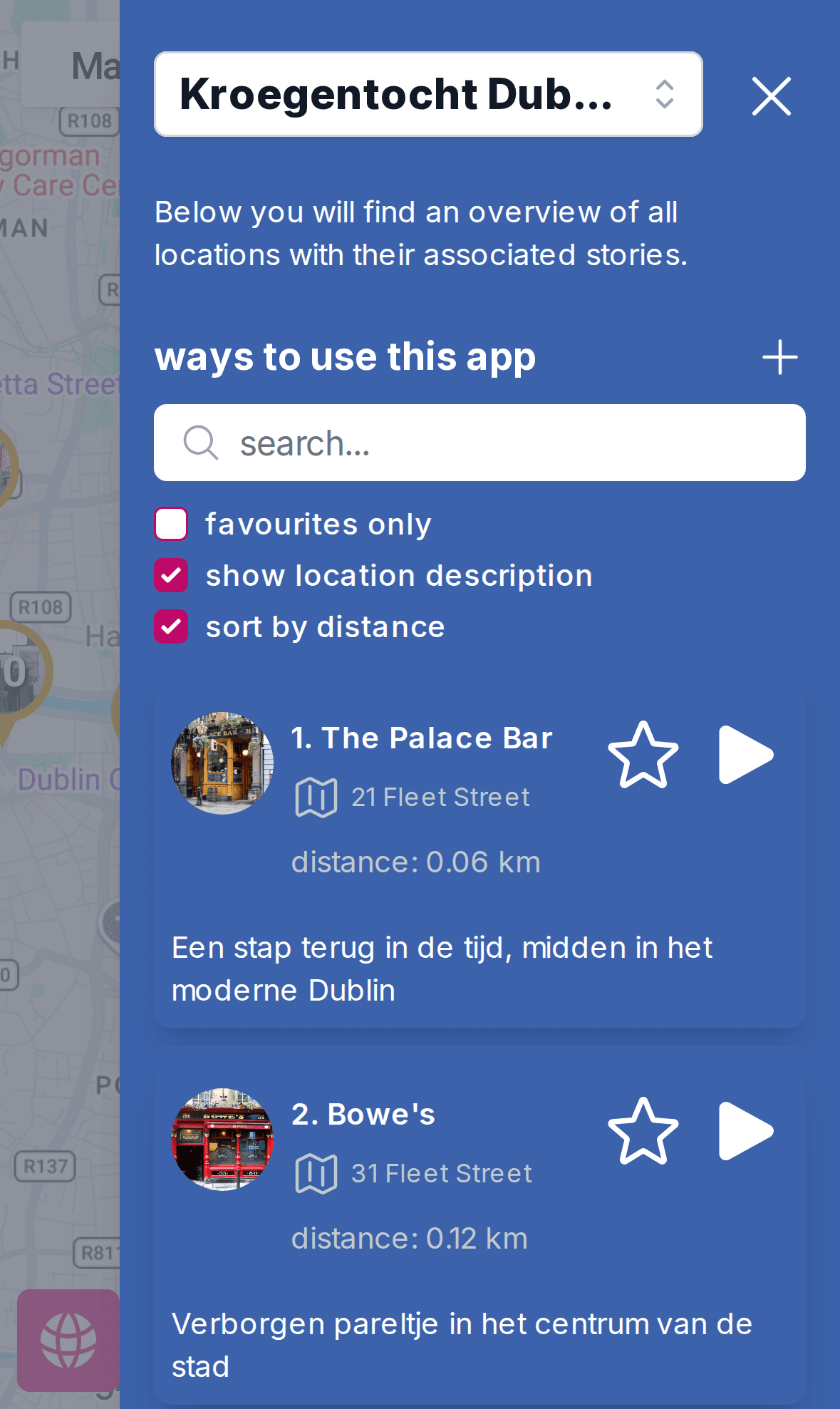
Distance to every stop
Sort by distance and plan your own route
The location list shows the live distance to every point of interest. Visitors can sort by distance, search, filter on favourites and build their own route.
- Live distance per location
- Sort by distance, search and favourites
- Short descriptions and photos in the list
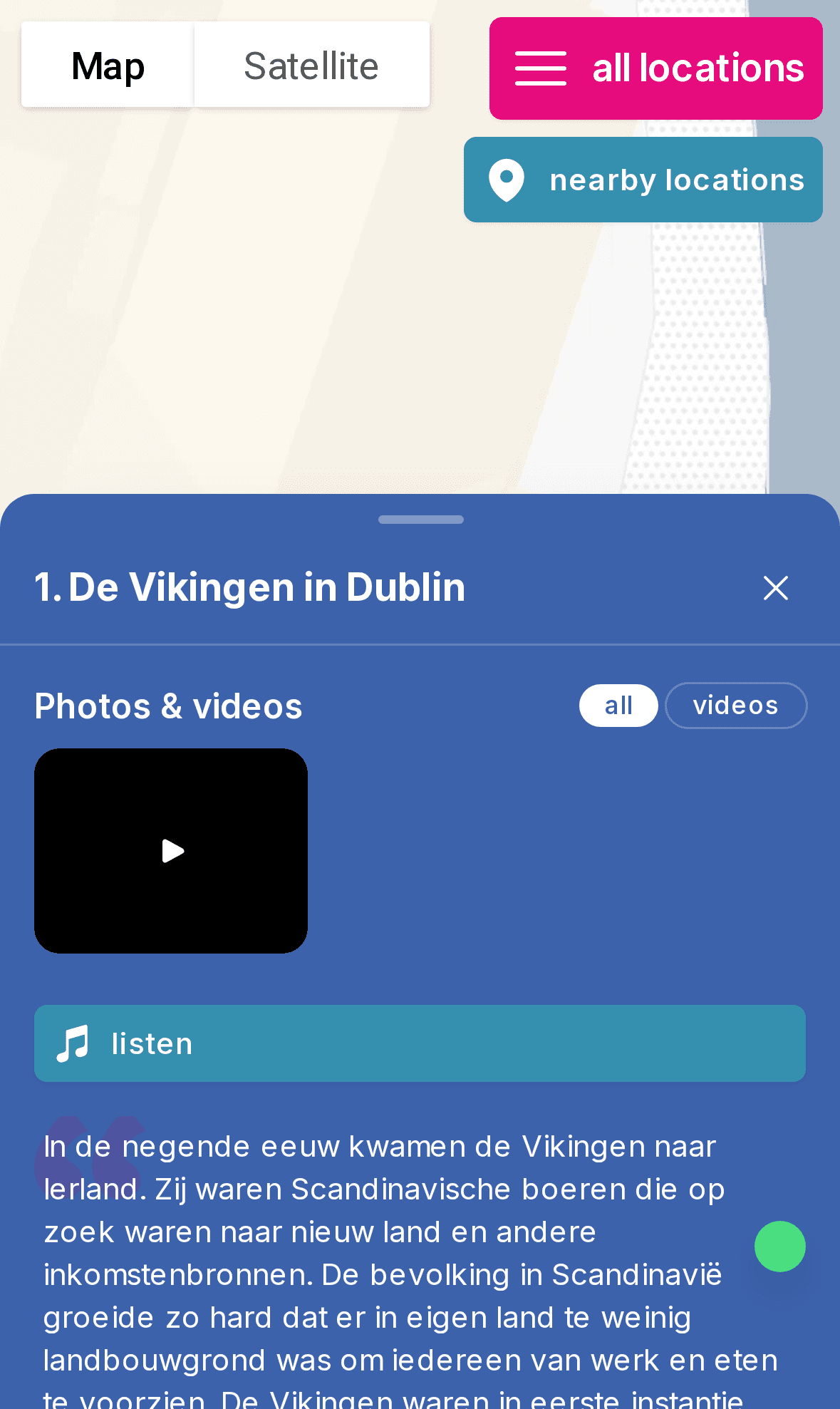
Stories
Audio, video and photos at every stop
Each location can have one or more stories with text, photo galleries, video and audio. Visitors listen while they walk, or read on at their own pace.
- Audio player that keeps playing while walking
- Video with automatic transcoding
- Photo galleries and links per location
Indoor floorplans
Keep guiding visitors inside the building
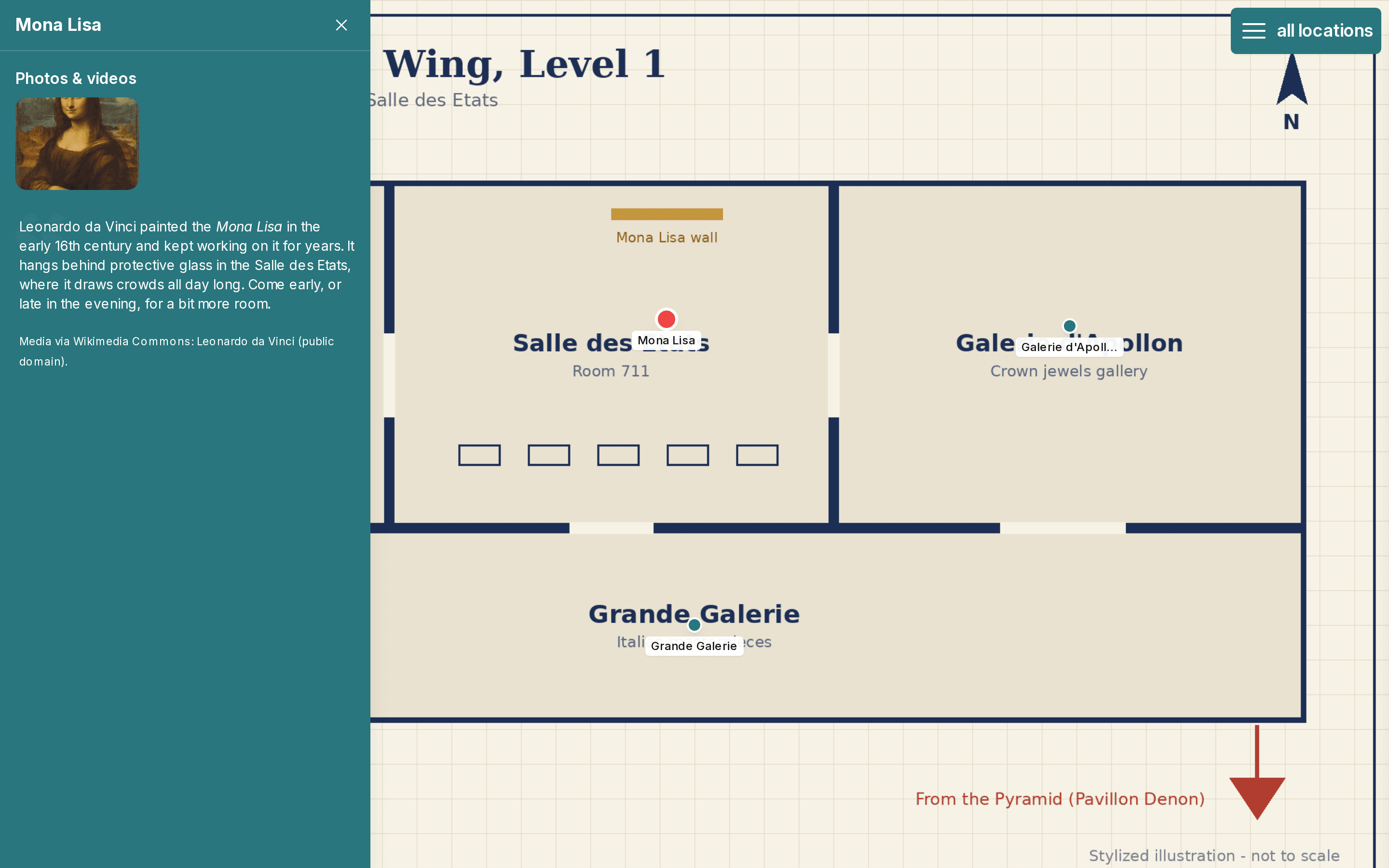
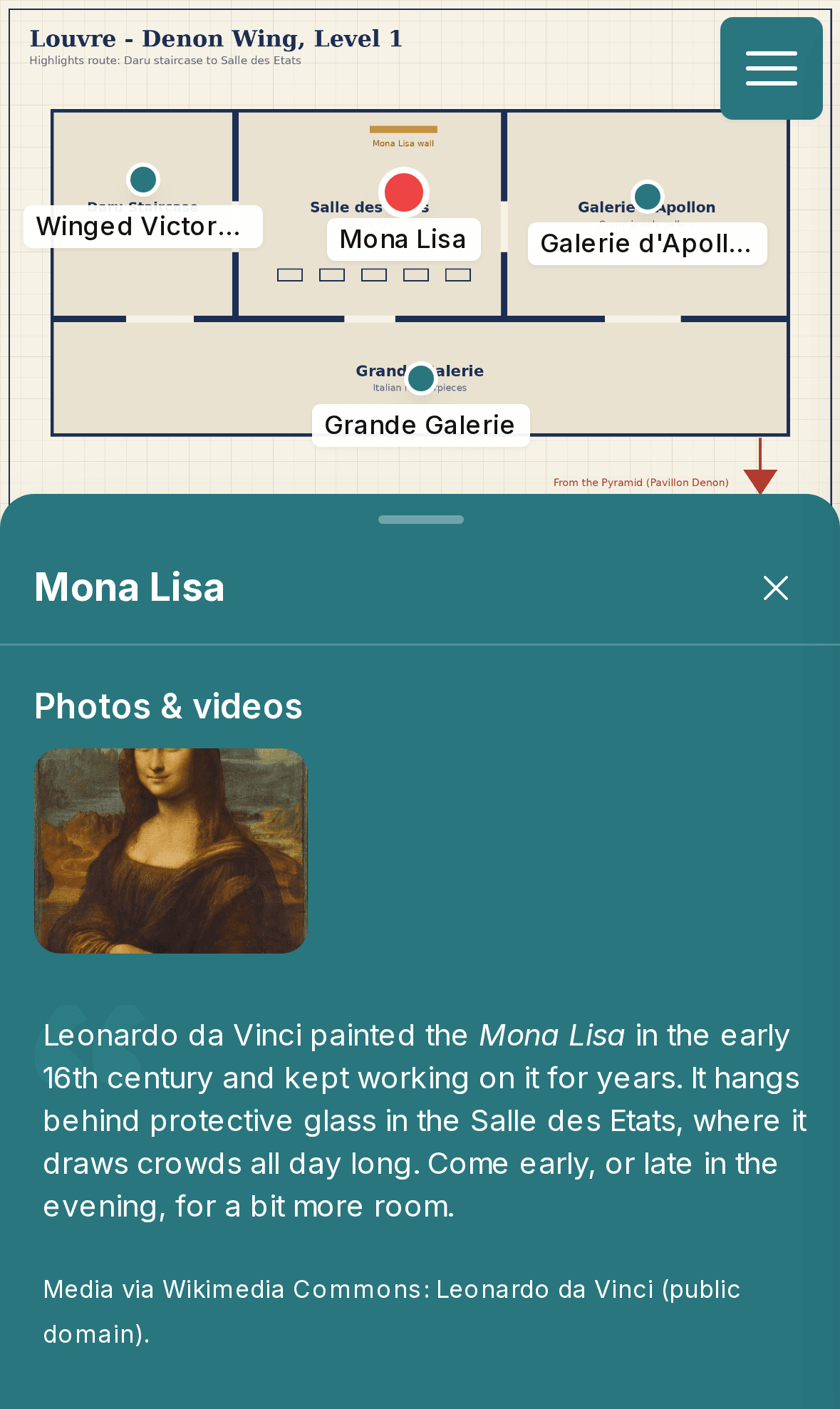
Where GPS stops, floorplans take over. Upload a floorplan for each floor of a museum, castle or venue and place pins on it. Visitors open the floorplan from the location, switch floors and tap a pin to see its story.
- Multiple floors per building
- Pins with photos, video, audio and text
- Search and tags to find the right spot
Offline & installable
Works offline, installs without an app store
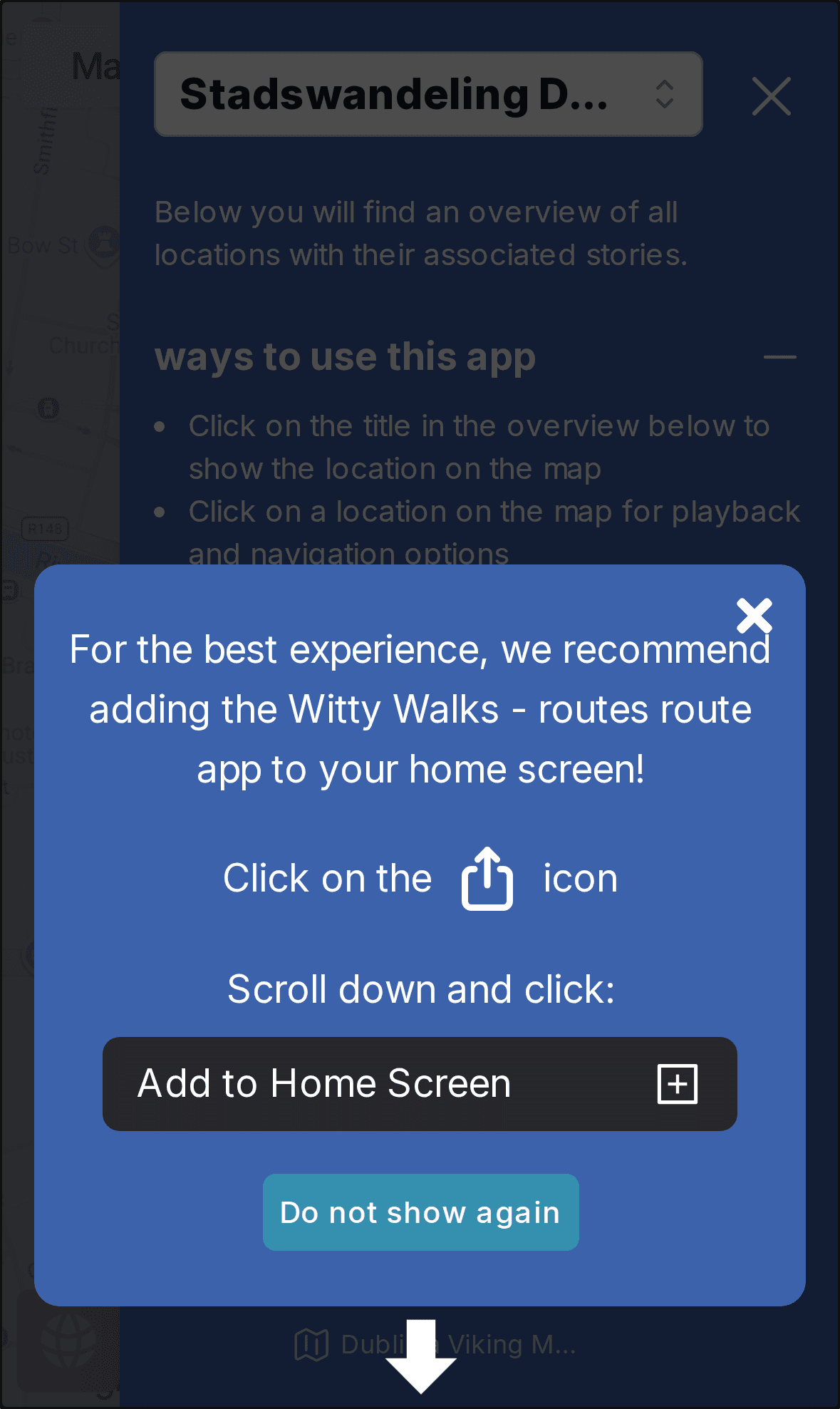
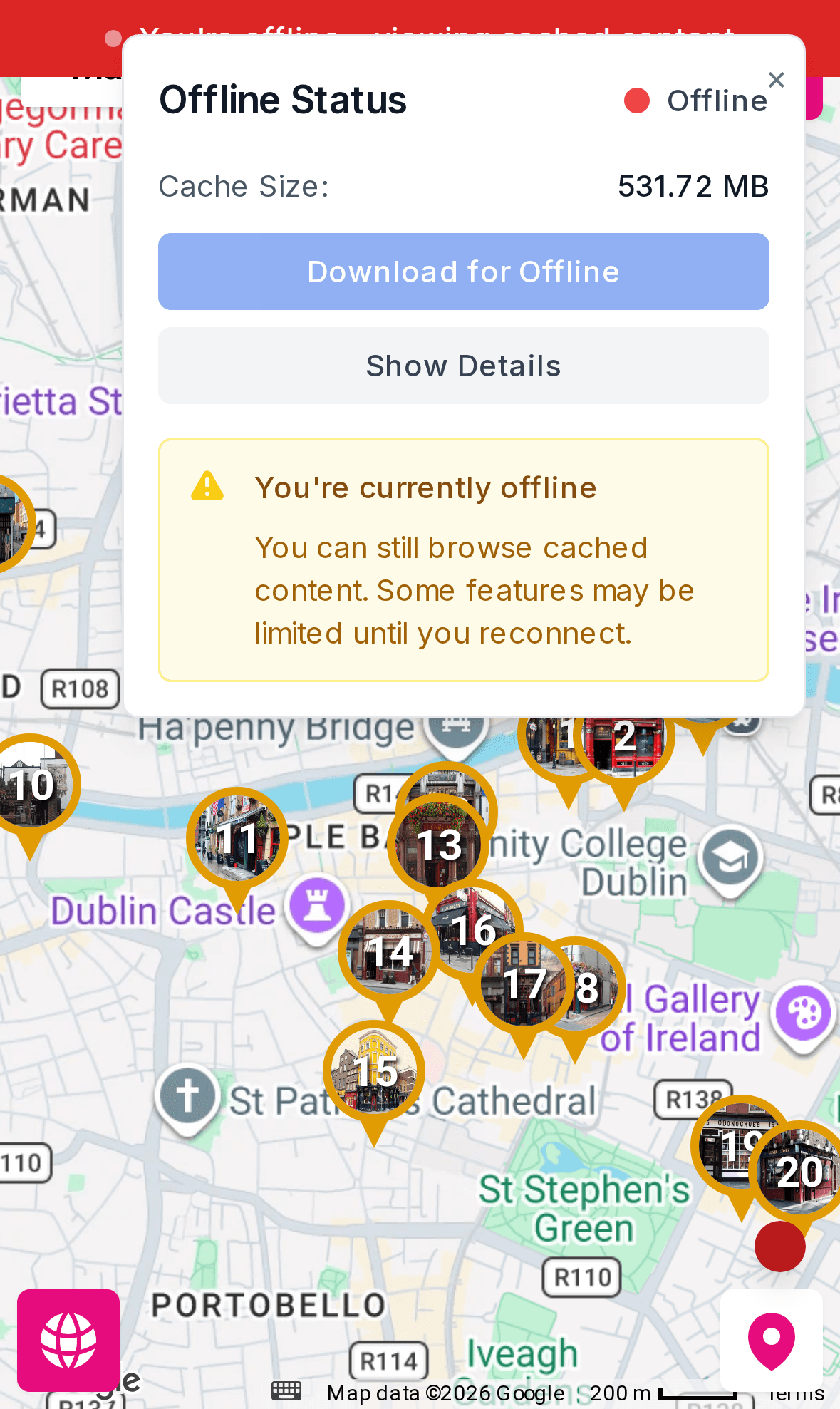
Tours are progressive web apps. Visitors add them to their home screen in a few seconds and download all media for offline use, so the tour keeps working without a signal.
- Add to home screen on iOS and Android
- Download all photos, audio and video for offline use
- Online/offline status always visible
Everything else you need for a great tour
- Multiple languages
- Set a default language per tour and let visitors switch the interface language.
- Favourites
- Visitors star locations and filter the list into their own personal route.
- Search & tags
- Search, tags and categories help visitors find the right stop in larger tours.
- Sessions without a map
- Besides location-based routes, offer audio sessions and guided exercises that work anywhere.
- Your branding
- Your logo, colours and app name, including on the visitor's home screen.
- Visit insights
- See how your routes are used through route visit statistics in the backoffice.
In the backoffice
Build the route on a map
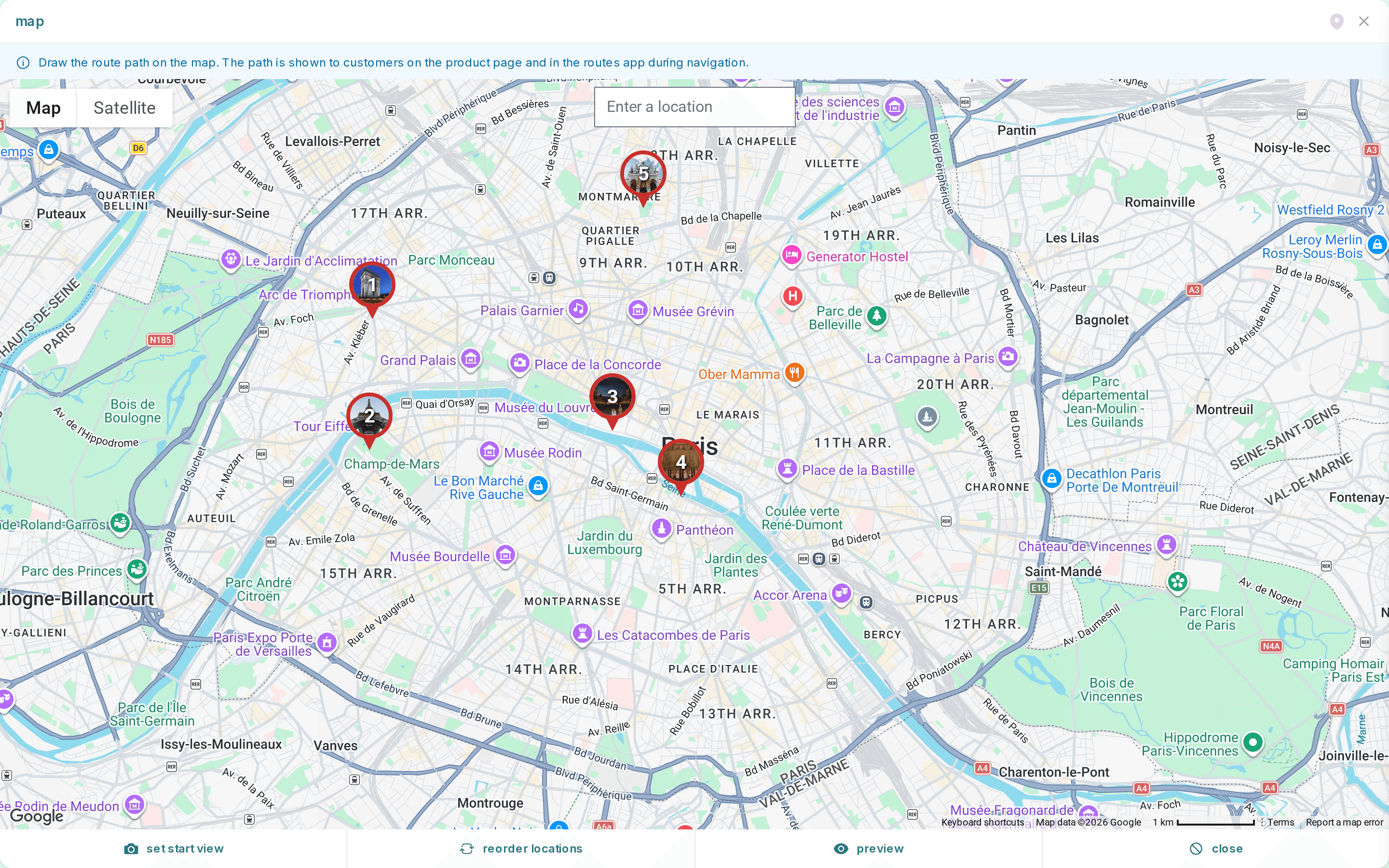
Add locations by searching or clicking on the map, set the order and the start view, and attach stories, photos, audio and video to every stop. Preview the tour exactly as visitors will see it before you publish.
- Map editor with photo markers for every stop
- Reorder locations and set the route's start view
- Route colour, numbering and link expiry per tour
Built-in shop & checkout
Sell tour tickets straight from your own checkout
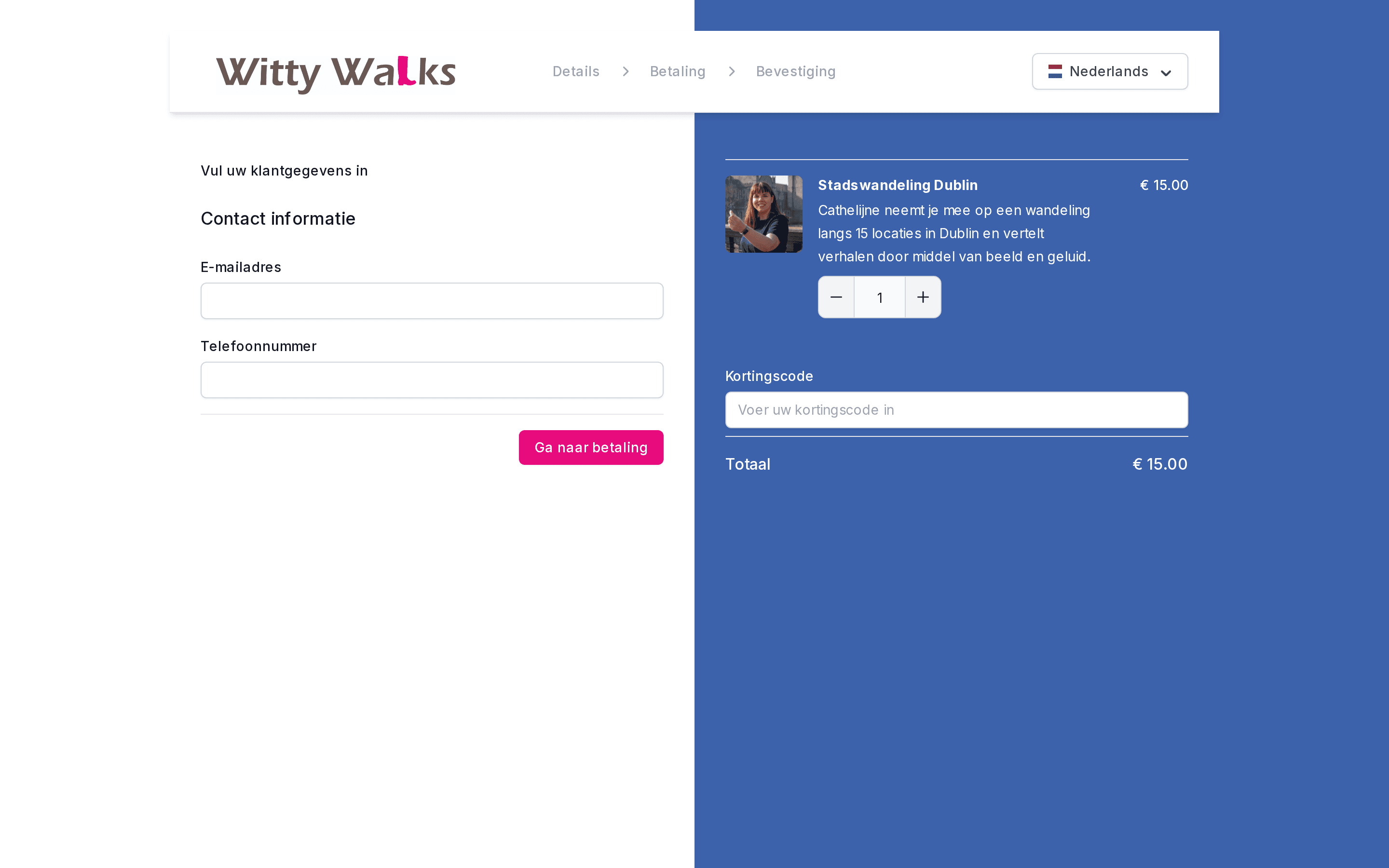
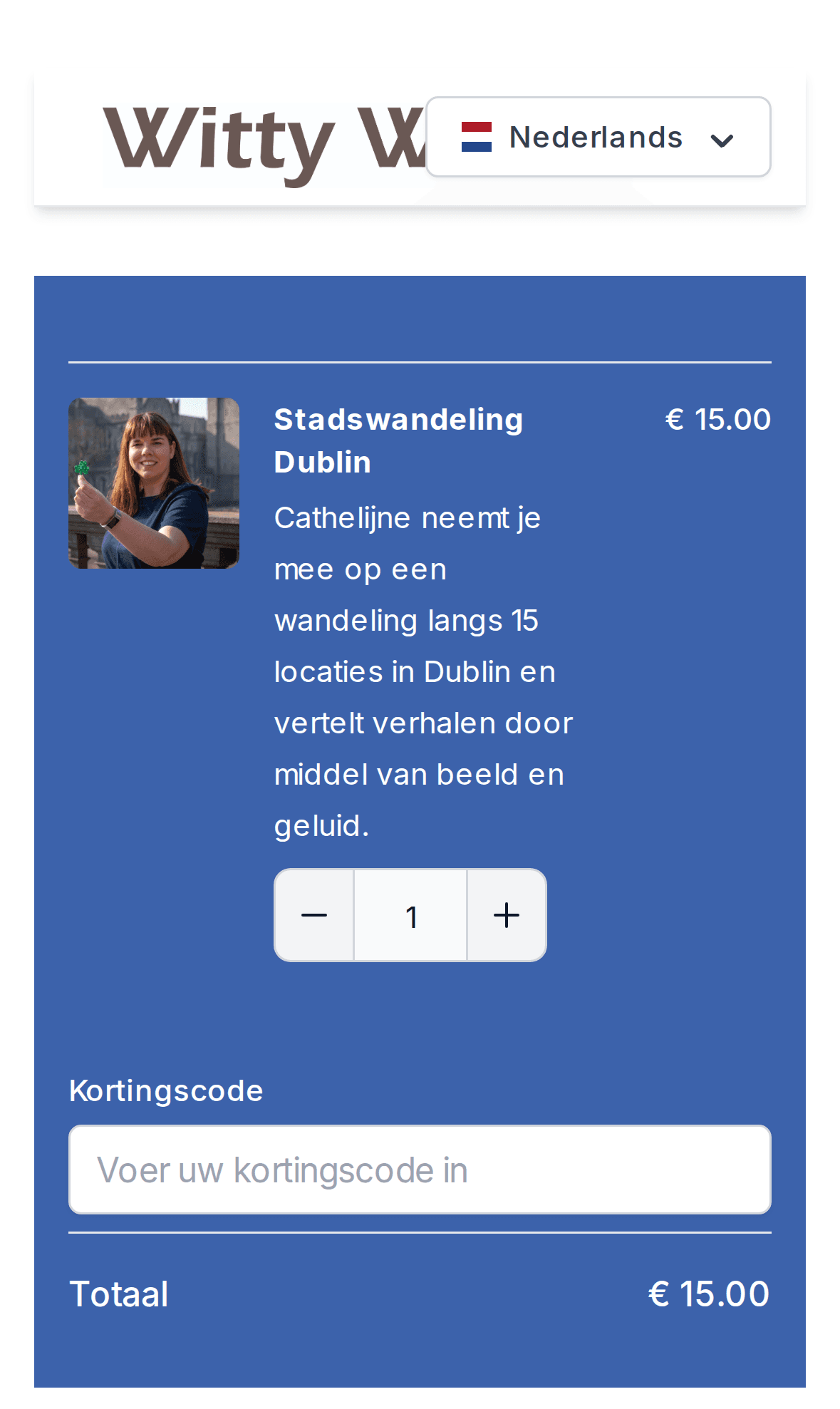
Witty Walks sells its Dublin tours through a boreen checkout in its own branding and language. After payment, customers get access to the tour right away.
- Fixed price per tour, with quantity for groups
- Discount codes and gift vouchers ("give someone a Dublin pub crawl")
- Instant access to the tour after payment
- Checkout in the language of your audience
- Stripe & Mollie payments, incl. iDEAL and cards
- Sell and redeem gift vouchers
- Embeddable booking widget for your own website
- Checkout in your own logo and branding
- Custom checkout questions
- Discounts and VAT handled per product
Frequently asked questions
Do visitors need to download an app?
No. Tours run in the browser as a progressive web app (PWA). Visitors open a link or scan a QR code and can add the tour to their home screen, so it opens like a native app without going through an app store.
Does the tour work without mobile data?
Yes. Photos, video and audio for each location can be downloaded in advance, so the tour keeps working offline. That's useful abroad, in the countryside or in places with poor reception.
How does the nearby locations feature work?
When visitors turn on location, the map follows their position and shows the distance to every stop. Points of interest within 100 metres show up under 'nearby locations', so visitors can open the right story straight away.
Can a tour continue inside a museum or other building?
Yes. Indoor floorplans take over where GPS stops working. Add a floorplan for each floor of a building and place pins on it. Each pin has its own story with photos, video, audio and text.
Can I sell tickets for my tour?
Yes. Every tour has a hosted checkout with Stripe or Mollie payments, discount codes and gift vouchers. After payment the customer gets access to the tour straight away.
Can a tour be offered in more than one language?
Yes. Tours have a default language, and visitors can switch the interface language. The checkout is multilingual too.
Put your city on the map
Build your first digital tour and start selling tickets the same day.